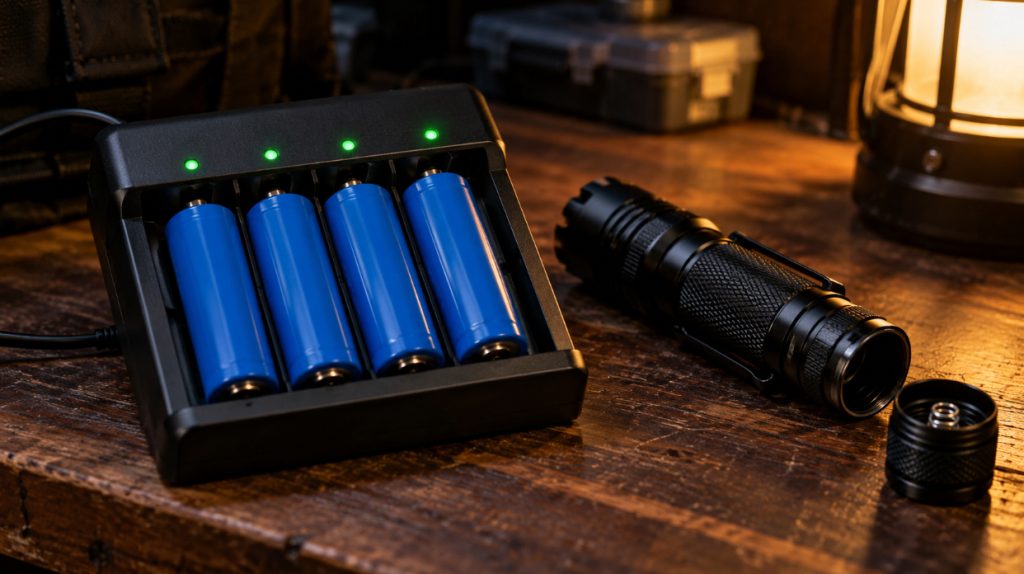
A good 18650 battery charger stops cleanly at 4.2 volts and flags a worn or damaged cell before it goes back in your light. It also keeps your spares topped up, so a flat cell never leaves you in the dark.
I picked six chargers from XTAR, Nitecore and Opus, brands with long records in independent charger tests, and checked every spec against the maker’s own material. They run from a pocket charger for one spare up to a four-bay analyzer.
Further down, a tool works out charge times and checks whether the mAh on a battery listing is even possible.
Quick Picks
18650 Chargers Compared
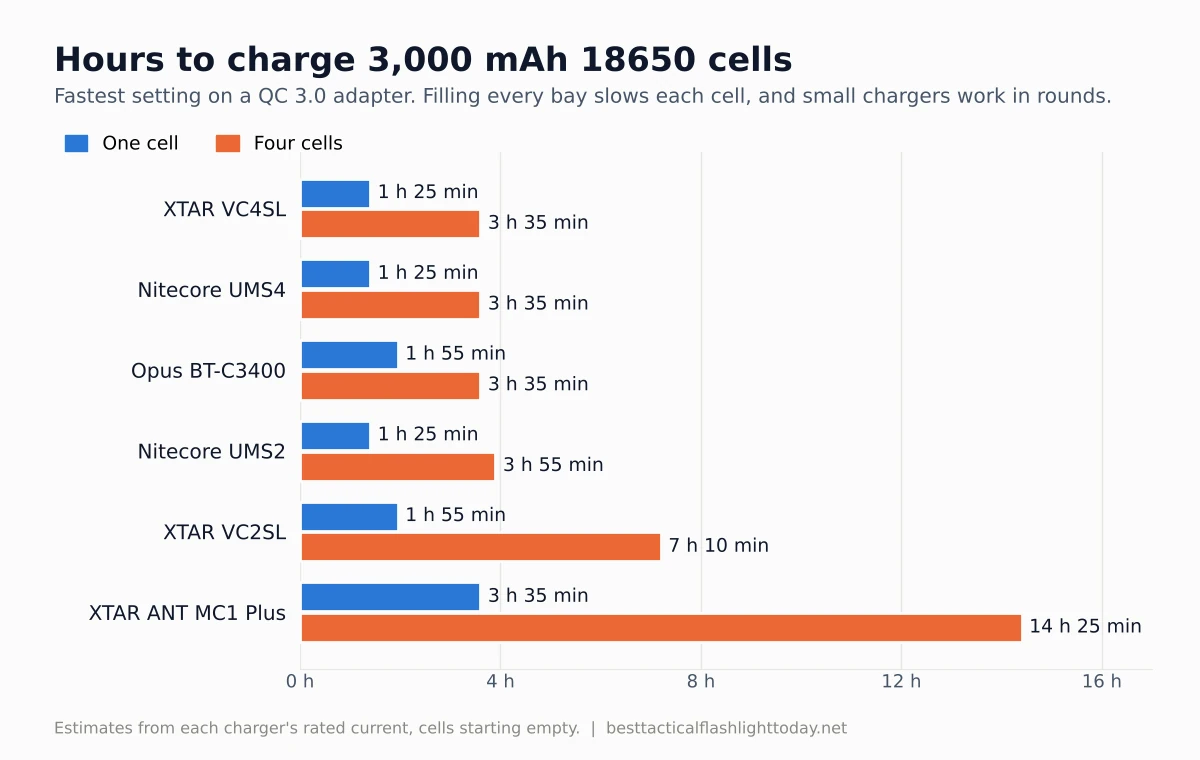
The fastest per-cell rate is for one cell. Fill every bay and the rate per cell drops, and the USB chargers only reach full speed on a fast charge (QC) wall adapter.
1. XTAR VC4SL: Best Overall
Why I chose it and who it’s for
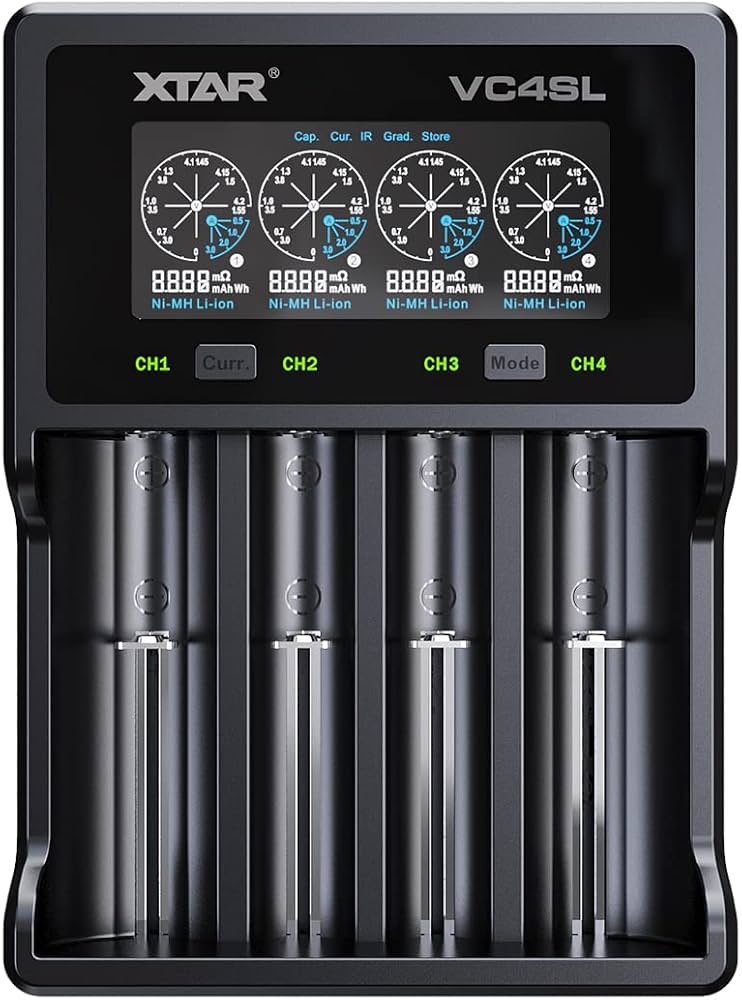
The VC4SL is the charger I’d hand to anyone with more than one 18650 light. It holds four cells, including long protected 21700s, and you can set the current from 0.25A up to 3A.
Its grade mode drains and recharges a cell, then shows the capacity it really holds, which is the quickest way to catch a fake or worn cell. It’s best for anyone with a few lights and a box of spares.
Key specs
- Bays: 4, Li-ion 3.6/3.7V and NiMH 1.2V
- Fits: 10440 up to 26650, including protected 20700 and 21700
- Current: 0.25A to 3A; on a QC 3.0 adapter, 3A for one cell, 2A each for two, 1A each for four
- Input: USB-C (QC 3.0 adapter sold separately)
- Modes: charge, capacity test, storage (brings cells to 3.7V)
Pros and cons
Pros
- A real capacity test, rare in a charger this simple
- Takes long protected cells that jam older chargers
Cons
- Full speed needs a QC 3.0 adapter
- No LiFePO4 setting
Performance analysis
On a regular 5V phone adapter it drops to 2A for one cell and 0.5A each for four, which is fine overnight. XTAR’s VC4SL page lists the adapters it needs to reach 3A.
2. Nitecore UMS2: Best 2-Bay
Why I chose it and who it’s for
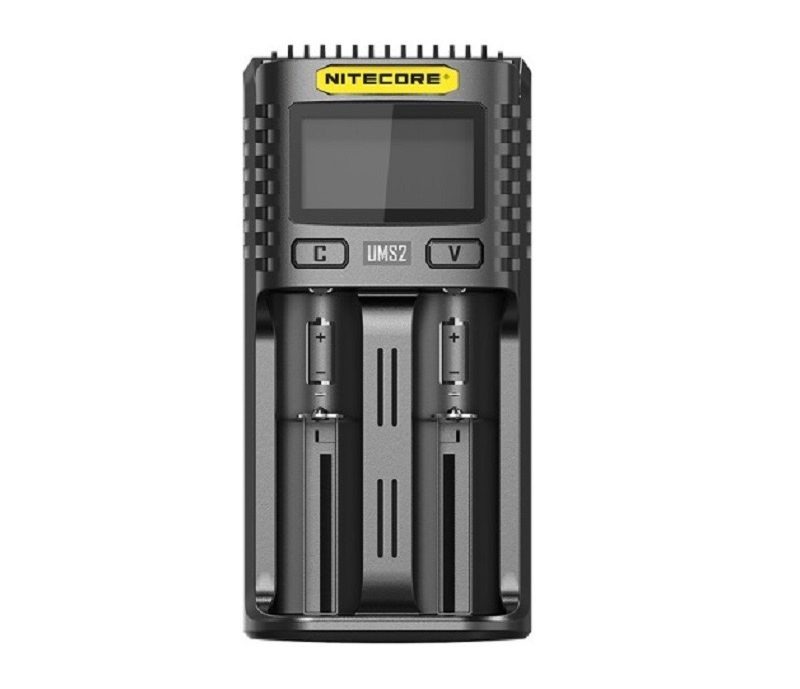
Most people charge one or two cells at a time, and the UMS2 is built for that. It takes cells up to 79 mm long and charges Li-ion, IMR, LiFePO4 and NiMH.
Drop a cell in and the screen shows its internal resistance and a health rating. It’s best for owners of one or two 18650 lights.
Key specs
- Bays: 2, Li-ion, IMR, LiFePO4, NiMH and NiCd
- Fits: 10440 up to 26700, cells up to 79 mm long
- Current: up to 3A for one cell, 4A total, with a QC adapter
- Input: USB with QC support, 18W max
- Readout: voltage, current, internal resistance, health
Pros and cons
Pros
- Handles nearly every cell size and chemistry
- Small enough to pack
Cons
- Older stock uses micro-USB, so check the listing photo for USB-C
- Top speed only on a QC adapter
Performance analysis
With a QC adapter, Nitecore rates the UMS2 at 80% of a 3,500 mAh cell in 55 minutes in one slot. Two cells charge at 2A each, so a pair of 3,000 mAh cells takes about two hours.
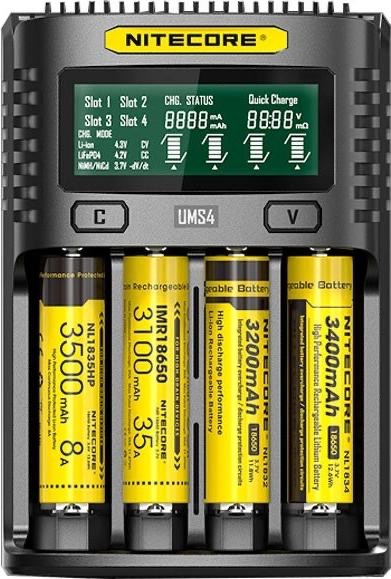
3. Nitecore UMS4: Best Fast 4-Bay
Why I chose it and who it’s for
The UMS4 is the UMS2 with four bays, the same health readout and a USB-C port.
It’s best for households running several lights, or anyone who also charges AA and AAA NiMH cells.
Key specs
- Bays: 4, Li-ion, IMR, LiFePO4, NiMH and NiCd
- Fits: 10440 up to 26700
- Current: 3A for one cell, 2A each for two, 1A each for four (QC adapter)
- Regular 5V adapter: 1.5A, 1A or 0.5A each
- Input: USB-C, 18W max
Pros and cons
Pros
- Fast with one cell, steady with four
- Charges NiMH AAs alongside 18650s
Cons
- You may need to set LiFePO4 cells by hand
- No capacity test
Performance analysis
Four 3,000 mAh cells take about three and a half hours on a QC adapter. A plain phone adapter doubles that, so the adapter matters as much as the charger.
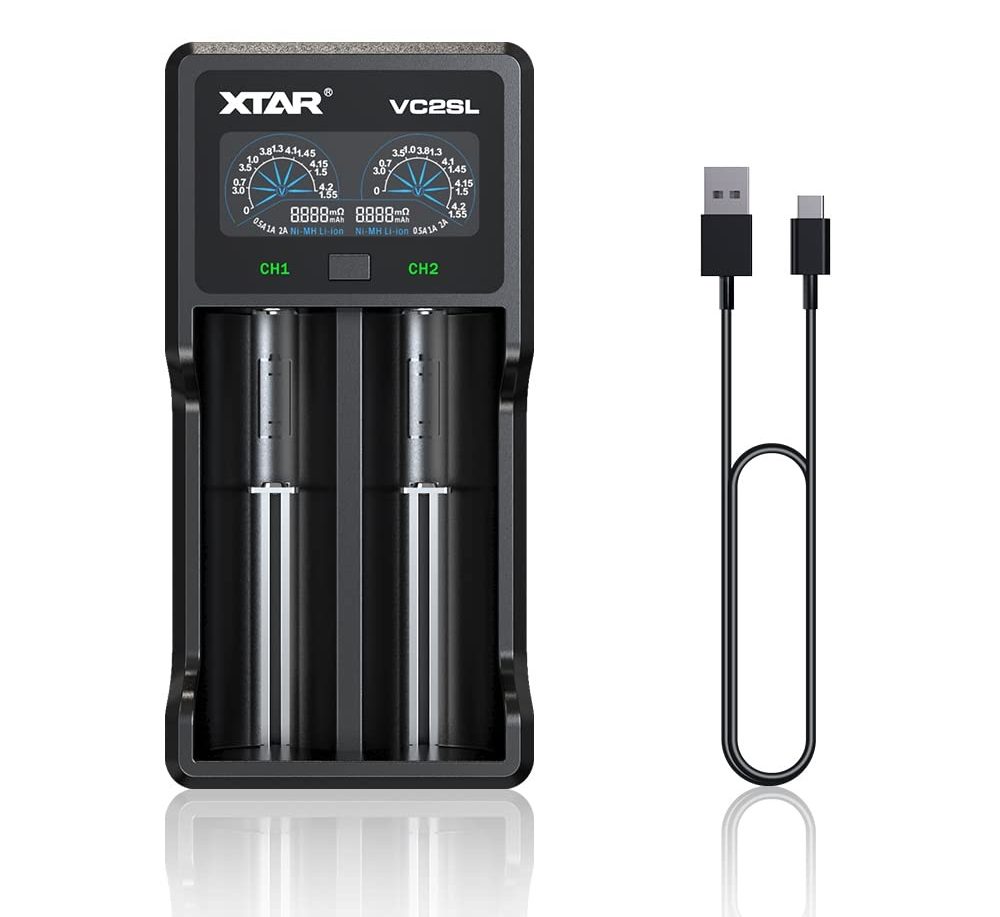
4. XTAR VC2SL: Best for Outages
Why I chose it and who it’s for
In an outage, a charger that needs a wall socket is no help. The VC2SL runs from any USB-C source, including a power bank, a car port or a small solar panel.
It also works in reverse: its USB port puts out 5V at 1A from the cells to top up a phone. It’s best for outage kits and travel.
Key specs
- Bays: 2, Li-ion 3.6/3.7V and NiMH 1.2V
- Fits: protected 21700 and most cells from 10440 up
- Current: 2A for one cell, 1A or 0.5A each for two
- Input: USB-C, 5V 2.1A
- Output: USB 5V 1A power bank
Pros and cons
Pros
- Runs on any USB-C power
- Doubles as a small power bank
Cons
- 2A tops out lower than the others
- 1A power bank output is slow for a phone
Performance analysis
Two 3,000 mAh cells take about three and a half hours at 1A each. That suits an outage, where you charge during the day from a portable power station or solar panel and run your lights at night.
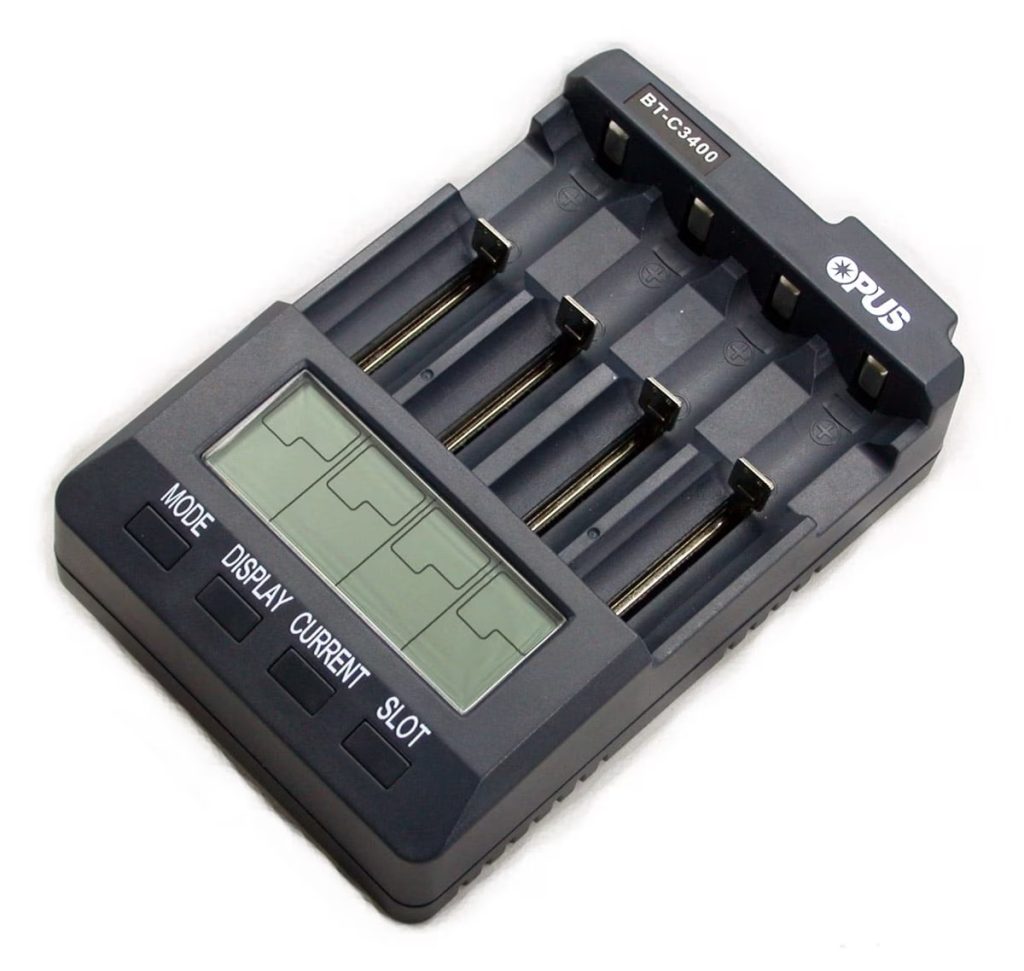
5. Opus BT-C3400: Best Analyzer
Why I chose it and who it’s for
The BT-C3400 is for people who want to know exactly what their cells hold. Each of its four bays can charge, discharge, refresh or run a charge-test that reports real capacity in mAh.
It’s best for anyone with a mixed box of old cells, or anyone who bought cheap ones and wants the truth.
Key specs
- Bays: 4, Li-ion, NiMH and NiCd
- Current: 200 to 2,000 mA per bay; three or four cells above 1,000 mA are held at 1,000 mA
- Modes: charge, discharge, refresh, charge-test, quick test
- Readout per bay: voltage, current, mAh in and out, time
- Power: wall adapter (included); car adapter available
Pros and cons
Pros
- True capacity numbers on four cells at once
- Every bay set separately
Cons
- Needs wall or car power, no USB input
- Menus take some learning
Performance analysis
A charge-test on a 3,000 mAh cell at 1A takes about half a day, since it charges, drains and recharges. Run it once on new cells and again every year or so to spot the ones losing capacity.
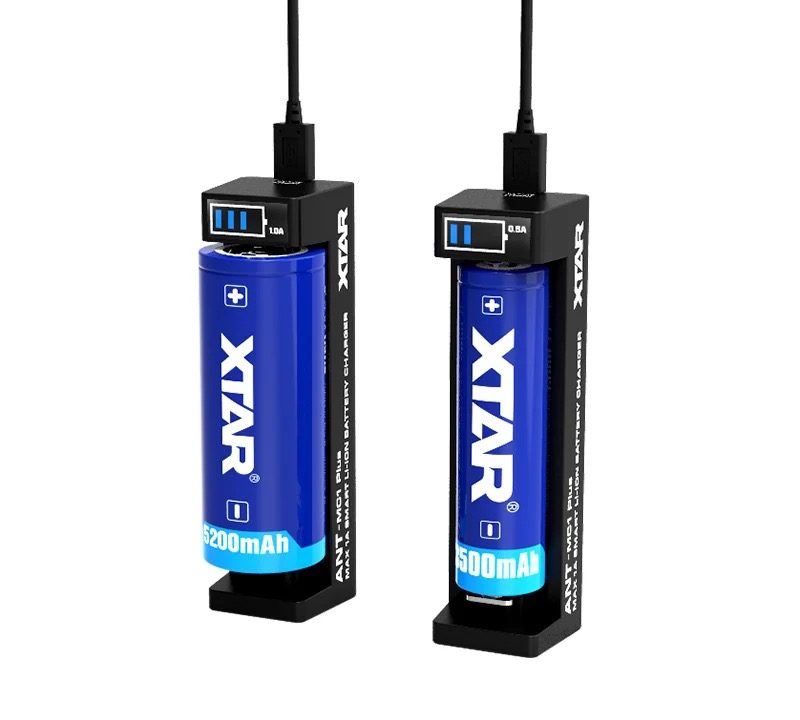
6. XTAR ANT MC1 Plus: Best Budget Single-Slot
Why I chose it and who it’s for
If you have one 18650 light and a spare cell, the ANT MC1 Plus is all you need. It’s tiny, runs from a phone adapter and picks 0.5A or 1A by itself.
XTAR rates it at about 3 hours for a full 18650. It’s best as a first charger or a travel spare.
Key specs
- Bays: 1, Li-ion 3.6/3.7V only
- Fits: 10440 up to 26650
- Current: 0.5A or 1A, set automatically by cell length
- Input: micro-USB, 5V 1A
- Extras: revives cells drained to 0V
Pros and cons
Pros
- Nothing to set
- Charges from a power bank in the field
Cons
- Still micro-USB
- One cell at a time, Li-ion only
Performance analysis
At 1A a 3,000 mAh cell takes about three and a half hours. That’s slow next to the others, but gentle on the cell.
Charge Time and mAh Reality Check
Pick a charger, how many cells and their capacity to see how long a full charge takes, and how all six compare on the same job. Then type in the mAh printed on any 18650 listing to see whether it’s possible.
Charge times are estimates from each charger’s rated current, for cells starting empty. Real times depend on the cell, how empty it is and your adapter.
Which 18650 Cells to Put in It
Buy cells as carefully as the charger. The CPSC warns against loose 18650 cells pulled from battery packs and rewrapped for sale online, since they lack protection circuits and can short against keys or coins. Amazon’s seller rules also list standalone 18650 cells as prohibited, so be wary of the no-name cell bundles that still turn up there.
The safest source is your flashlight’s maker, since Fenix, Nitecore and Olight sell protected cells sized for their lights. Your manual says whether it needs a button top.
Then check the capacity. No 18650 on sale holds much more than 3,600 mAh. A listing that claims 5,000 or 9,900 mAh is fake, and testers who measure those cells usually find a few hundred to about 1,000 mAh.
How to Choose an 18650 Charger
Bays and speed
Two bays cover one or two lights, and four suit a household. You rarely need top speed, since 1A is easy on an 18650 and most people charge overnight.
USB-C and the adapter
USB-powered chargers run from a phone adapter, a power bank or solar, which matters in an outage. Their top speeds need a QC 3.0 or PD adapter; on a basic 5V adapter expect about half.
Testing features
An internal resistance readout catches a failing cell. A capacity test goes further and tells you what the cell really holds, which the VC4SL and the Opus both do.
Room for long cells
Protected cells are a few millimeters longer than bare ones, so check that the charger lists protected support for your size. For the size difference itself, see my 18650 vs 21700 guide.
Safe charging habits
Charge on a hard, clear surface, take cells out once they’re full, and never charge one with a torn wrapper or a dent.
Two add-ons worth buying
Frequently Asked Questions
Can I charge an 18650 battery with a phone charger?
Not directly. An 18650 needs a lithium-ion charger that stops at 4.2 volts, but you can power a USB charger like the VC4SL from a phone adapter.
How long does it take to charge an 18650 battery?
About three and a half hours for a 3,000 mAh cell at 1A, and roughly an hour and a half at 3A. Filling every bay usually lowers the current per cell, so four cells take longer than one.
Can you overcharge an 18650 battery?
A proper lithium-ion charger stops at 4.2 volts, so a good charger won’t overcharge it. Cheap unbranded chargers sometimes stop too late. Take cells out once they’re full rather than leaving them in for days.
Do protected 18650 batteries need a special charger?
No, any lithium-ion charger works. They are longer than unprotected cells, though, so make sure the charger’s bays fit them. All six picks here take protected 18650s.
The Bottom Line
For most people, the XTAR VC4SL is the one to buy. It has four bays and USB-C, and its capacity test catches bad cells before they let you down.
Pick the Nitecore UMS2 for one or two lights, the Nitecore UMS4 for fast four-cell charging, and the XTAR VC2SL for an outage kit. The Opus BT-C3400 is for testing cells, and the XTAR ANT MC1 Plus is the simple choice for one spare cell.
Buy your cells from your flashlight’s maker and skip any 18650 claiming more than 3,600 mAh. If you’re still choosing the light, my best 18650 flashlight and rechargeable flashlight guides cover the lights these chargers feed.
