
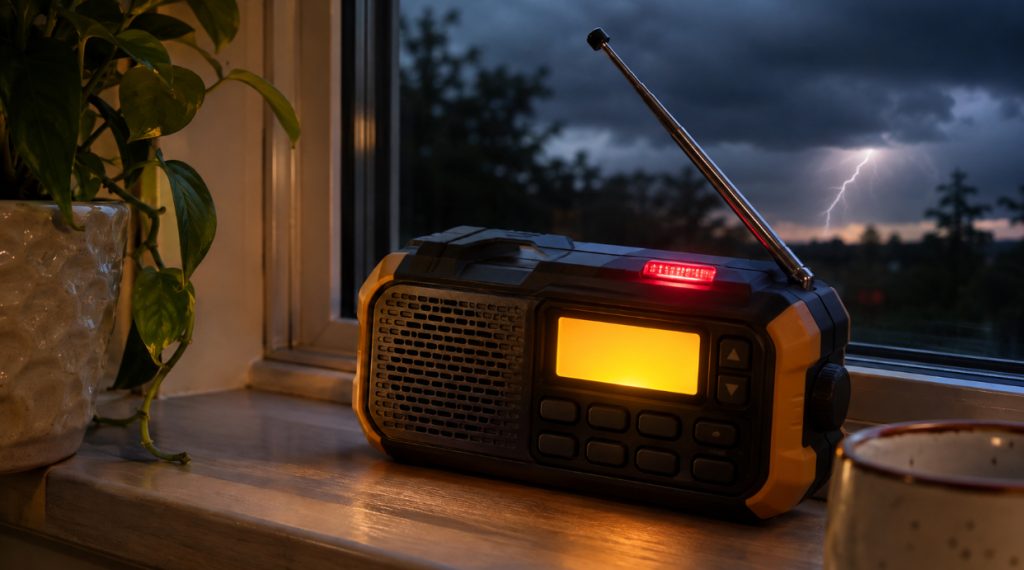
A weather radio can only warn you if it’s tuned to a transmitter that’s on the air. Set it to the wrong frequency, or to a transmitter that’s been off the air for two weeks, and it sits there in silence while a tornado warning goes out for your county.
NOAA Weather Radio broadcasts on seven frequencies from more than a thousand transmitters run by the National Weather Service. The finder below gives you your NOAA weather radio frequency, the channel number your radio uses for it, and the six digit code a SAME radio needs. The status map further down shows which transmitters are on the air right now and which ones aren’t.
Find Your NOAA Weather Radio Station
Start typing your county and pick it from the list. You can also browse by state, or let your phone find the transmitters closest to you.
Many counties are reached by two or more transmitters. If the first one comes in weak or full of static, tap the next station in the finder and try that frequency. Near a county line, you may hear a neighboring county’s station better than your own, and that’s fine for listening. For alerts, though, your radio should be set to a station that carries warnings for your county.
The 7 NOAA Weather Radio Frequencies
Every NOAA Weather Radio station in the country uses one of these seven VHF frequencies. Neighboring transmitters are put on different ones so they don’t drown each other out, which is why the station two counties over may be on a completely different channel from yours.
Most weather radios show a channel number from 1 to 7 instead of the frequency. Weather radios such as Midland’s number the frequencies in order, so channel 1 is 162.400 MHz and channel 7 is 162.550 MHz. Walkie-talkies, marine radios and some CB radios label them WX1 to WX7 in a different order that starts with WX1 on 162.550 MHz. Each card above shows both numbers, and so does the finder. If a channel doesn’t bring in a clear broadcast, check the frequency chart in your radio’s manual and match it to your frequency.
NOAA Weather Radio Status Map
Transmitters go off the air more often than most people realize. A lightning strike, a failed phone line to the forecast office, a tower repair or a software update can each take a station down for days or weeks. When that happens, a radio tuned to it gets no forecast and no alert, and nothing on the radio tells you so.
If your station shows as out of service, the finder will point you to another transmitter that reaches your county. If none do, keep your phone’s emergency alerts switched on and check local TV or AM radio during storms until it’s back.
How to Set Up a Weather Radio for Your County
Setting up a weather radio takes about five minutes, and it’s worth doing on a calm day rather than with a storm on the way.
Tune the right frequency
Find your county in the finder and tune the frequency or weather channel it gives you. You should hear a computer voice reading the forecast for your area. If you hear a forecast for somewhere a hundred miles away, you’ve picked up a different station, so try the next one on the list.
Enter your SAME code
SAME stands for Specific Area Message Encoding. Every county has a six digit code, and the Weather Service attaches those codes to each warning it sends. The first digit is almost always 0, which means the whole county. The next two digits are your state and the last three are your county.
A SAME radio checks each alert against the codes you’ve programmed and only sounds for the ones that match. Without it, the radio goes off for every warning on that transmitter, and one transmitter can cover a dozen counties. You can program several codes into most SAME radios, so add the county where you work or where your parents live too. The National Weather Service’s SAME page covers the details for each kind of radio.
Turn on alert mode
This is the step people skip. A weather radio left playing on the weather band is just a radio. In alert mode it goes quiet, listens for the Weather Service’s warning tone, and switches itself on when one comes through. That’s what wakes you at 3 a.m. Leave it in alert mode all the time and keep fresh batteries in it, so it still works when the power goes out.
Listen for the weekly test
Most Weather Service offices send a test alert once a week, often on Wednesday around the middle of the day, though your local office sets the exact time. When your radio sounds for the test, you know it’s tuned to the right station and alert mode is working. If a week goes by with no test, check the status map, then check your settings.
When Your Station Won’t Come In
NOAA transmitters are built to reach about 40 miles, and less in hilly country. The signal is VHF, so it travels in fairly straight lines and doesn’t bend well over ridges or get through a lot of concrete.
Start with the antenna. Pull it all the way out and stand it upright. Then move the radio to a window on the side of the house facing the transmitter. The “stations near me” button in the finder shows which direction that is. Basements, metal roofs and rooms in the middle of a big building are the hardest spots.
If that doesn’t fix it, try the other stations that reach your county. Some tabletop weather radios also have a jack for an outside antenna, and a small antenna in the attic can make a weak station usable.
And if the station shows as out of service on the map, the radio isn’t the problem. Switch to a backup station until NOAA gets it back on the air.
Other Ways to Hear NOAA Broadcasts
A dedicated weather radio is still the best tool for alerts, because it’s built to sit in standby and wake you up. A lot of gear you may already own picks up the same broadcasts, though:
- Many FRS and GMRS walkie-talkies have weather channels, and some sound an alert too.
- Marine VHF radios on boats carry the weather channels, since NOAA covers coastal waters.
- Police scanners and many ham radio handhelds can tune all seven frequencies.
- Most hand crank emergency radios have a weather band, and the better ones have an alert mode.
A regular AM/FM radio can’t receive NOAA Weather Radio, because the broadcasts sit on VHF frequencies above the FM band. If you’re shopping, my weather alert radio guide covers tabletop SAME radios for the nightstand, and my hand crank radio guide covers radios that keep running through a long outage.
Your phone helps too. Wireless Emergency Alerts push the most serious warnings to phones in the affected area, and they don’t depend on a weather radio transmitter at all. Keep them switched on. They’re a good backup, but a dead phone or a cell tower knocked out by the storm can’t warn you, and a weather radio in alert mode running on batteries still can.
Frequently Asked Questions
What frequency is NOAA weather radio on?
NOAA Weather Radio uses seven frequencies: 162.400, 162.425, 162.450, 162.475, 162.500, 162.525 and 162.550 MHz. Which one you need depends on the transmitter that covers your county. Type your county into the finder at the top of this page to get yours.
What channel is NOAA weather radio?
It depends on the radio. Weather radios such as Midland’s number the seven frequencies in order, so channel 1 is 162.400 MHz and channel 7 is 162.550 MHz. Walkie-talkies and marine radios usually label them WX1 to WX7 in a different order, with WX1 on 162.550 MHz. Get your local frequency from the finder, which shows both numbers, and match it to your radio.
Can a regular radio pick up NOAA weather radio?
No. A standard AM/FM radio doesn’t tune high enough. You need a weather radio, or a radio with a weather band such as a hand crank emergency radio, a scanner, a marine VHF radio or a walkie-talkie with weather channels.
What is a SAME code on a weather radio?
A SAME code is a six digit number for your county. When you program it into a SAME weather radio, the radio only sounds for warnings that include your county instead of every warning on the transmitter. The finder gives you your county’s code with a copy button.
Keep It Ready
Look up your station now, while the sky is clear, and print the radio card from the finder so the frequency and code are on the fridge when someone else needs them. A weather radio pairs well with a plan for when the power goes out, and the free Lights Out kit has a printable one. To see how often outages hit your part of the country, the power outages by state page has the numbers. NOAA’s Weather Radio home page has more on how the network works.
