
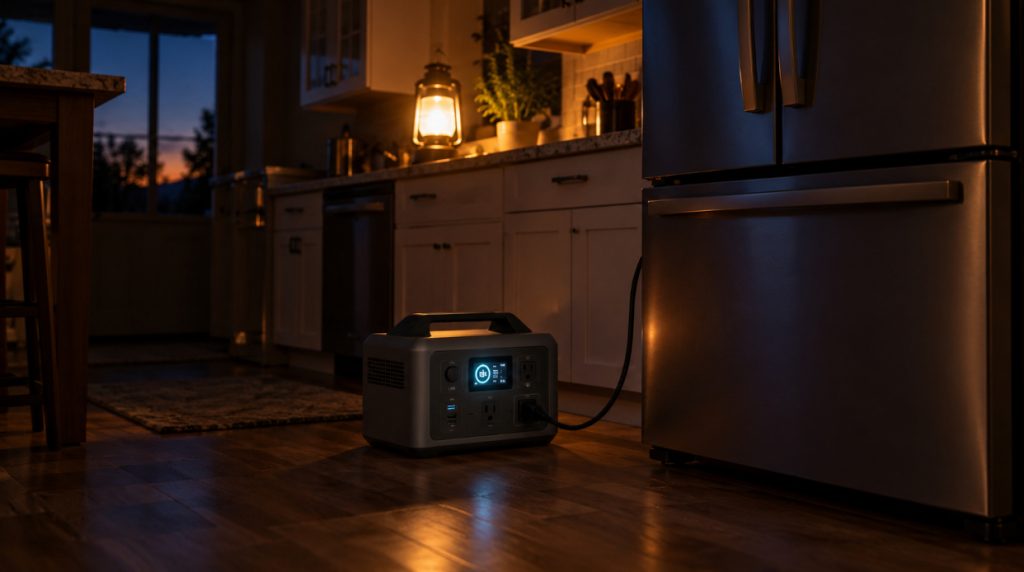
The lights are the easy part of an outage. A flashlight and a lantern handle those for days. The harder part is everything with a plug: the fridge, the CPAP on the nightstand, the router and every phone in the house.
That’s the job of a portable power station for home backup: a big lithium battery with real wall outlets that you can run indoors without fumes or noise. Spec sheets don’t make the choice easy, and plenty of people end up with one that’s too small or far bigger than they need.
I’ve picked six for different homes, from a 10 pound unit that keeps a CPAP running to a 240 volt system that wires into your panel. Below the reviews, the What Will It Run? tool lets you tap in your own appliances and see how long each station lasts.
Quick Picks
Portable Power Stations Compared
Switchover is how fast the station takes over when the grid drops while your devices are plugged into it. Under 20 ms is fast enough for most electronics.
How I Picked These Power Stations
I stuck to EcoFlow, Anker, Jackery and Bluetti. They’re the brands people actually shop for, they all use LiFePO4 batteries now, and every one of these is sold on Amazon. Where an independent tester had put a unit on the bench, I checked the maker’s numbers against theirs, and they mostly held up.
Then I matched each one to a real household. Someone on a CPAP needs something very different from a family with a well pump, so you’ll find a small bedside unit, three 1 kWh stations for the fridge and phones, a 2 kWh unit for longer outages, and one that wires into the house.
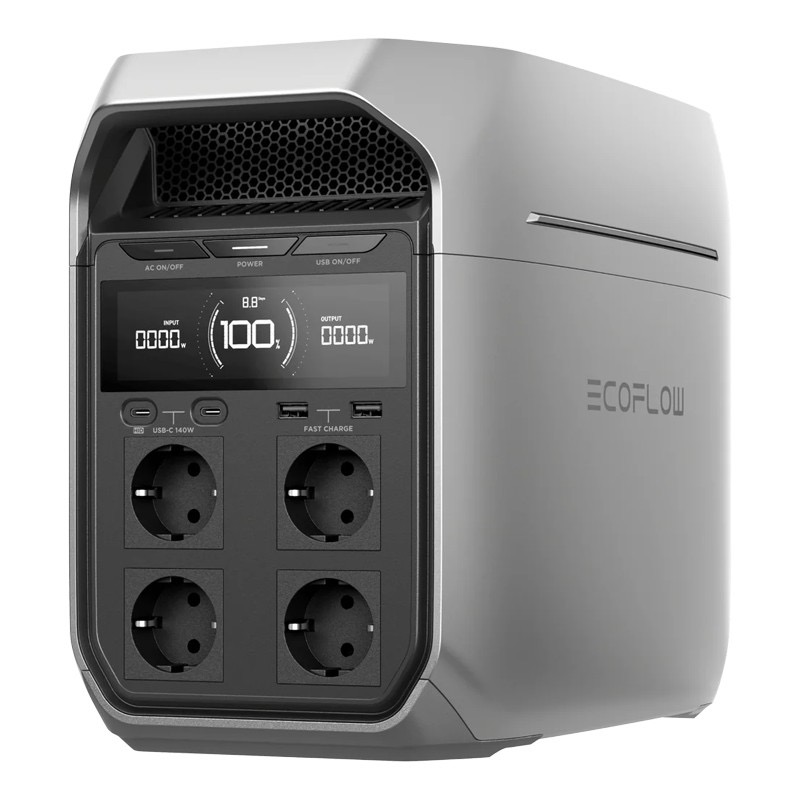
1. EcoFlow Delta 3 Plus: Best Overall
Why I chose it and who it’s for
The Delta 3 Plus gets the basics right for most homes. It holds 1,024 Wh on a LiFePO4 battery rated for 4,000 cycles, puts out 1,800 W with 3,600 W of surge for a fridge compressor, and refills from the wall in about 56 minutes.
What puts it ahead of the other 1 kWh units is that it can grow. Add EcoFlow’s extra batteries and it reaches 5 kWh, so you can start with one and expand once you know how long your outages last. It’s best for a house or apartment that wants the fridge, Wi-Fi and phones covered overnight, with room to grow.
Key specs
- Capacity: 1,024 Wh, LiFePO4, 4,000 cycles to 80%
- Output: 1,800 W, 3,600 W surge
- Switchover: under 10 ms
- Wall recharge: about 56 minutes at 1,500 W
- Solar input: up to 1,000 W across two ports
- Expansion: up to 5 kWh with extra batteries
- Outlets: 6 AC
- Weight: 27.6 lb
- Warranty: 5 years
Pros and cons
Pros
- Expands to 5 kWh when you need more
- Fast enough switchover for computers and a CPAP
- Six AC outlets
Cons
- The base unit runs a full-size fridge for roughly 16 hours, so plan to recharge daily
- Heavier than the Anker with the same capacity
- Each extra battery adds a large chunk to the cost
Performance analysis
StorageReview measured 910 Wh delivered from the 1,024 Wh battery, about 89%, which is what you should expect from any station once the inverter takes its cut. It also clocked the switchover at just over 8 ms, comfortably inside EcoFlow’s rating.
It stays under 30 dB at 600 W, so you can sleep in the same room. For a two or three day outage, pair it with a solar panel or one extra battery.
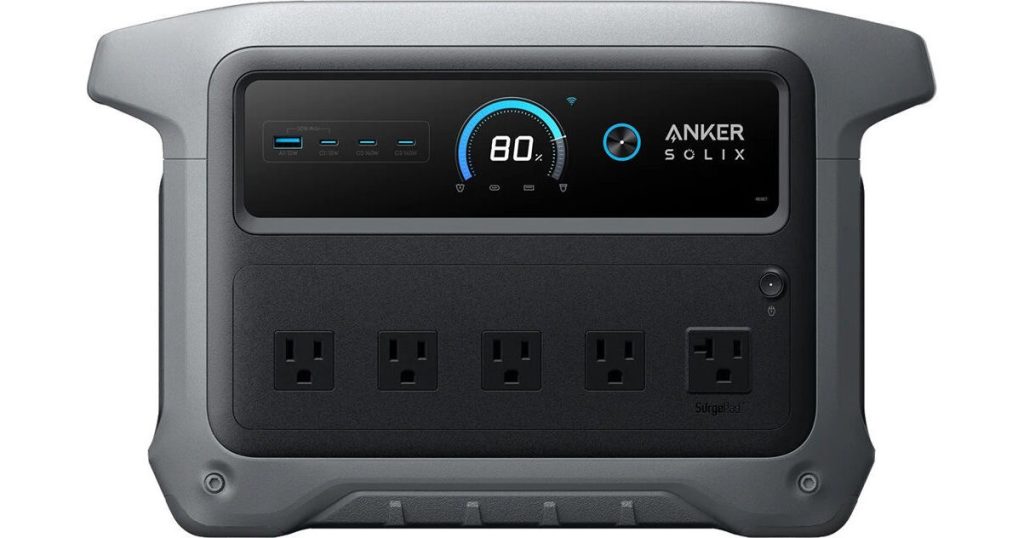
2. Anker SOLIX C1000 Gen 2: Best Value
Why I chose it and who it’s for
The C1000 Gen 2 matches the Delta 3 Plus on capacity and beats it on output, with 2,000 W continuous and 3,000 W peak. It also recharges faster: 49 minutes from empty at 1,600 W, which matters when the power flickers back on for an hour between failures.
It’s one of the cheapest ways to get 1 kWh from a major brand, and it goes on sale often. The trade is that it can’t take an extra battery. It suits anyone who wants solid backup without paying for expansion they’ll never use.
Key specs
- Capacity: 1,024 Wh, LiFePO4, 4,000 cycles to 80%
- Output: 2,000 W, 3,000 W peak
- Switchover: 10 ms
- Wall recharge: 49 minutes at 1,600 W with UltraFast charging
- Solar input: 600 W
- Expansion: none
- Weight: 24.9 lb
Pros and cons
Pros
- Most output of the 1 kWh picks
- Fastest wall recharge in the lineup
- Lighter than the Delta 3 Plus
Cons
- Not expandable
- The 49 minute recharge only works when the battery is above 68°F
- UltraFast charging has to be switched on in the app
Performance analysis
Watch the cold-weather fine print. Anker’s own page notes that UltraFast charging only kicks in when the battery is above 68°F, so a unit stored in a winter garage will recharge much more slowly until it warms up. Keep it inside and you get the full speed.
The extra output headroom means it starts a fridge compressor easily, even with a router and TV already running.
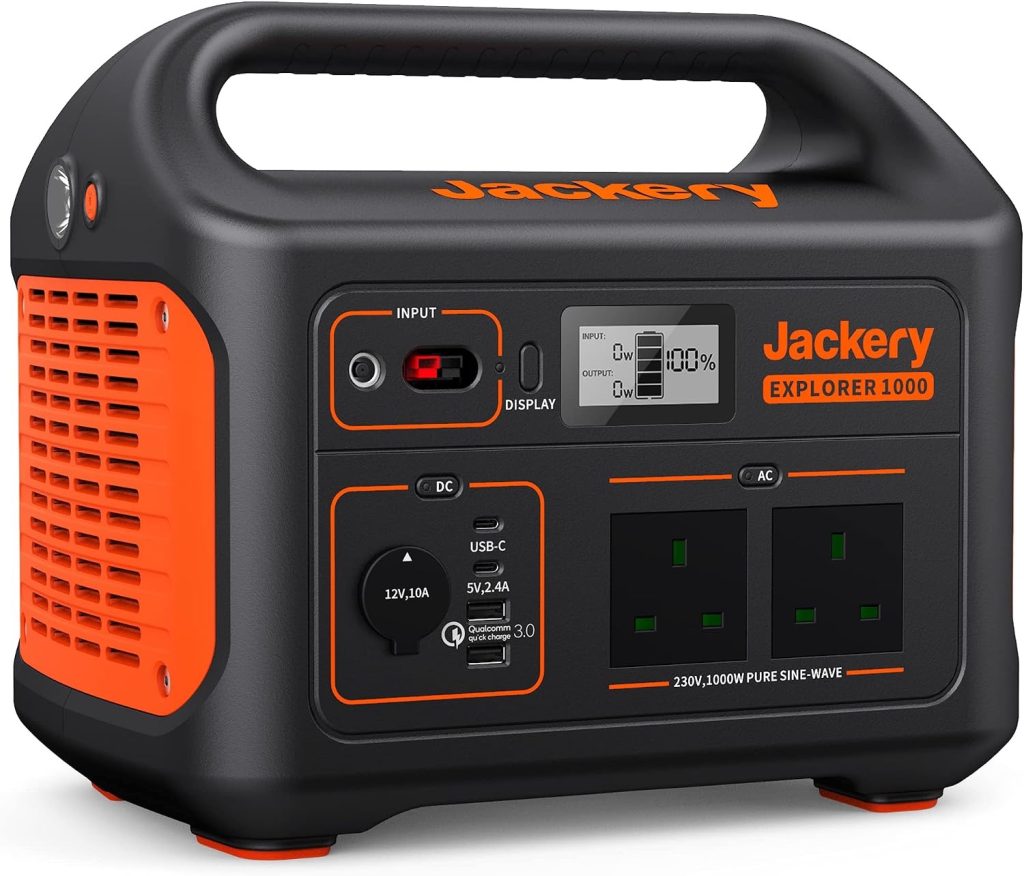
3. Jackery Explorer 1000 v2: Easiest to Carry
Why I chose it and who it’s for
At 23.8 lb, the Explorer 1000 v2 is the lightest 1 kWh station here, and the one I’d hand to someone who has never used a power station. The controls are simple, it runs under 30 dB, and an emergency mode in Jackery’s app fills it in about an hour.
It’s best for older owners, apartments without much storage space, and anyone who’ll carry it from the kitchen to the bedroom at night.
Key specs
- Capacity: 1,070 Wh, LiFePO4, 4,000 cycles to 70%
- Output: 1,500 W, 3,000 W surge
- Switchover: under 20 ms
- Wall recharge: about 1.6 hours, or 1 hour in emergency mode
- Solar input: 400 W
- Outlets: 3 AC
- Weight: 23.8 lb
- Warranty: 3 years plus a 2 year extension
Pros and cons
Pros
- Lightest of the 1 kWh picks
- Slightly more capacity than the other two
- Quiet enough for a bedroom
Cons
- Only three AC outlets
- Solar and car charging use Jackery’s own connector
- Slowest switchover of the 1 kWh picks, so test it with a desktop computer first
Performance analysis
The 1,500 W limit is the one to keep in mind. It runs a fridge, a microwave or a coffee maker, just not two of the big ones at the same time.
Charging through Jackery’s own connector means a third-party solar panel needs an adapter. If you plan to add solar, buy Jackery’s panel and skip the hassle. On the plus side, the smaller footprint makes it the easiest of the 1 kWh units to tuck into a closet between outages.
4. Bluetti Elite 200 V2: Best for Running a Fridge for Days
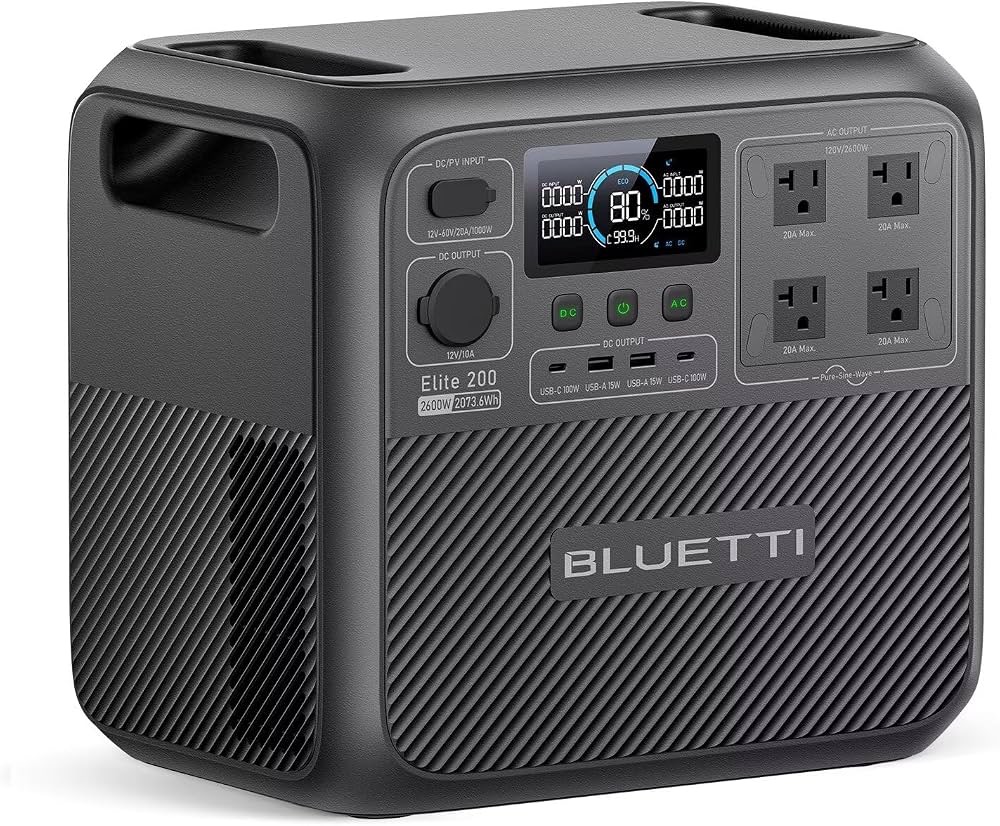
Why I chose it and who it’s for
The Elite 200 V2 has twice the battery of the 1 kWh picks. Its 2,074 Wh keeps a typical full-size fridge going for about a day and a half on its own, or most of a day with Wi-Fi, phones and lights added.
It also has the muscle for bigger loads: 2,600 W continuous and 3,900 W surge. The LiFePO4 pack is rated for 6,000 cycles, the most in this lineup. It’s best for homes in areas where outages run longer than a night.
Key specs
- Capacity: 2,074 Wh, LiFePO4, 6,000 cycles to 80%
- Output: 2,600 W, 3,900 W surge
- Switchover: 15 ms
- Wall recharge: about 1 hour to 80% at 1,800 W
- Solar input: 1,000 W
- Outlets: 4 AC
- Weight: 53.4 lb
- Warranty: 5 years
Pros and cons
Pros
- Twice the runtime of the 1 kWh picks
- Highest cycle rating here
- Recharges to 80% in about an hour
Cons
- 53.4 lb is a two-hand lift
- Not expandable
- Only four AC outlets for its size
Performance analysis
A reviewer reported getting more than 93% of the rated capacity out of it, which is unusually efficient. That’s a big part of why it stretches a fridge so far.
At 53.4 lb it isn’t something you move every night. Pick a spot near the fridge, plug it in, and leave it there on standby.
5. Anker SOLIX F3800 Plus: Best Whole-Home Backup
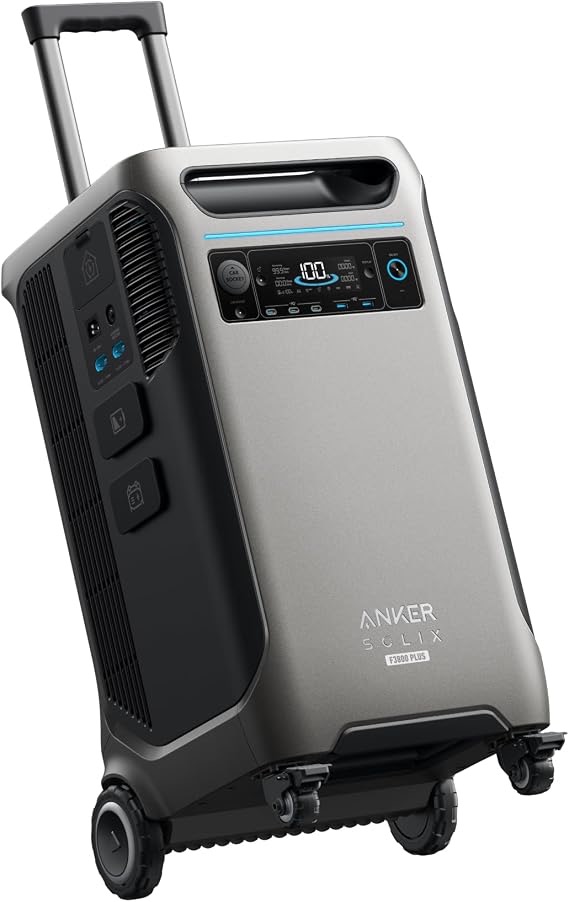
Why I chose it and who it’s for
The F3800 Plus is the only pick here that can power parts of your house directly. Its 120/240 volt output connects to Anker’s Home Power Panel or a transfer switch, so it can power hardwired circuits like a well pump or the blower on a gas furnace, which keeps the heat on in a winter outage.
On its own it holds 3,840 Wh and delivers 6,000 W. Add expansion batteries and it reaches about 27 kWh. It’s for houses where losing the furnace or well pump is the real emergency.
Key specs
- Capacity: 3,840 Wh, LiFePO4, 3,000+ cycles
- Output: 6,000 W at 120/240 V; 2,400 W from the standard outlets
- Switchover: 20 ms on its UPS outlets
- Solar input: up to 3,200 W across two ports
- Expansion: up to about 27 kWh with six batteries
- Home connection: Anker Home Power Panel or a transfer switch
- Weight: 136.7 lb, on wheels
- Warranty: 5 years
Pros and cons
Pros
- Runs 240 V loads like a well pump
- Expands far beyond any other pick
- Strong solar input for multi-day outages
Cons
- The panel or transfer switch costs extra and needs an electrician
- 136.7 lb, so it lives in one place
- Far more than an apartment needs
Performance analysis
Budget for the installation as part of the purchase. Running a furnace or well pump means the station feeds your circuits through a transfer switch or Anker’s panel, and that’s a job for a licensed electrician.
With solar connected, it can refill a large share of its battery on a sunny winter day, which is how people ride out week-long outages without a fuel can.
6. EcoFlow River 3 Plus: Best for CPAP and Wi-Fi
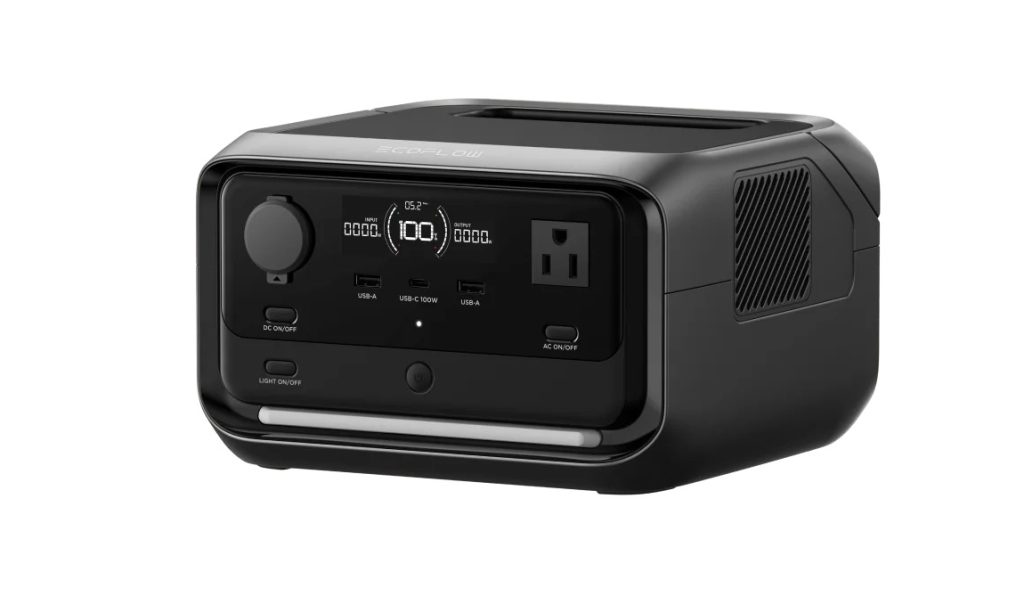
Why I chose it and who it’s for
If what you really need is for the CPAP and the router to keep running, you don’t need a 25 lb station. The River 3 Plus weighs 10.4 lb, fits under a nightstand, and switches over in under 10 ms (StorageReview measured 9), so a CPAP plugged into it keeps running straight through a power cut.
It’s best for anyone who uses a CPAP, works from home, or wants a small second station for the bedroom.
Key specs
- Capacity: 286 Wh, LiFePO4, 3,000 cycles to 80%
- Output: 600 W, 1,200 W surge
- Switchover: under 10 ms
- Wall recharge: about 60 minutes
- Solar input: 220 W
- Expansion: up to 858 Wh with an extra battery
- Outlets: 3 AC
- Weight: 10.4 lb
Pros and cons
Pros
- Light enough to keep beside the bed
- Fast switchover for medical and network gear
- Expands to triple its capacity
Cons
- Too small for a full-size fridge
- A heated humidifier drains it in about three hours
- The extra battery is a separate purchase
Performance analysis
Without the heater, a CPAP typically draws around 20 to 40 W, so the base unit covers most of a night on AC power. Add the extra battery and you get two or three nights. Run the heated humidifier and the draw roughly doubles, so turn it off during an outage and ask your CPAP supplier about a DC cord, which cuts the inverter loss.
What Will It Run?
Tap the things you want to keep running and pick how long the outage might last. The tool adds up your daily watt-hours, checks whether each station can start your biggest appliance, and shows how long each one lasts on a single charge.
The appliance figures are typical planning numbers. The label on your own appliance gives its real wattage. Runtimes use about 85% of each station’s rated capacity to allow for inverter losses.
How to Choose a Portable Power Station for Home Backup
Make a list of what you want running during an outage before you look at any station. That list decides the size.
Watt-hours decide how long it lasts
Capacity is measured in watt-hours. A 1,000 Wh battery could, in theory, run a 100 W load for 10 hours. To size yours, multiply each appliance’s watts by the hours it runs in a day and add them up. The tool above does this for you.
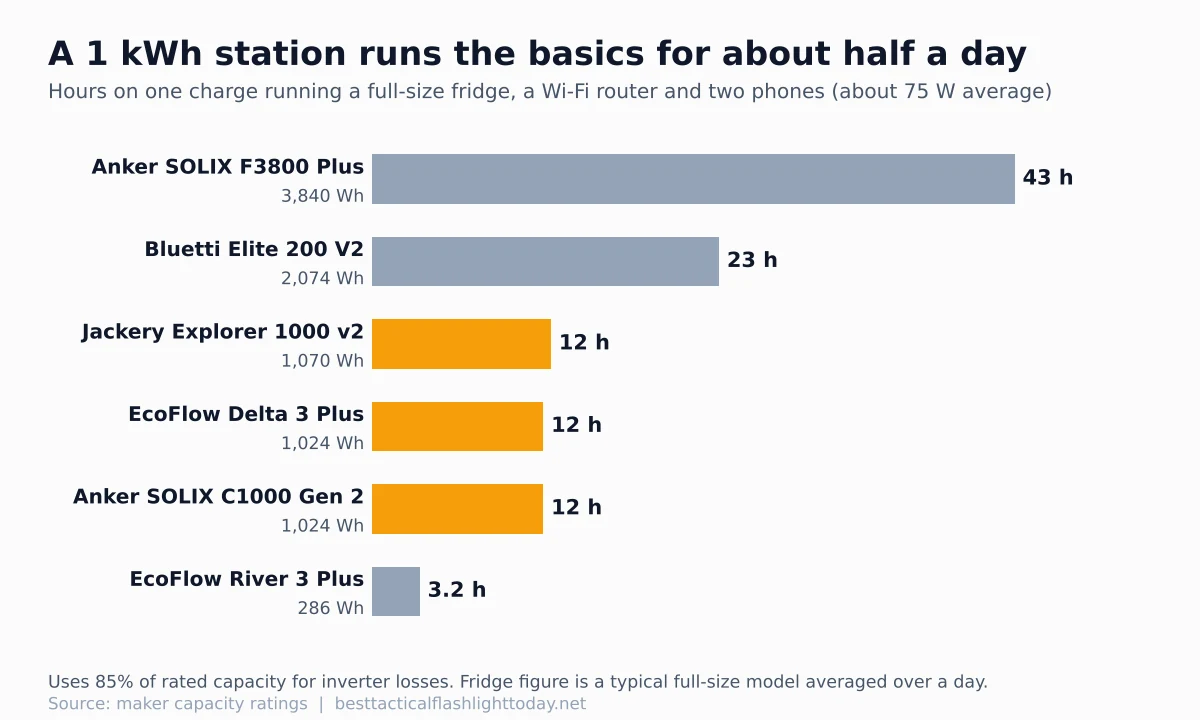
The chart shows the gap. A full-size fridge, a router and two phones average roughly 75 W over a day, so a 1 kWh station gets you through a night and a 2 kWh one gets you through a full day.
You get about 85% of the rated capacity
The inverter that turns battery power into wall power uses some of it. Expect roughly 85% to 90% of the rated watt-hours as usable AC power, a little more if you run devices off the USB ports.
Surge watts start the fridge
A fridge or freezer compressor pulls several times its running watts for a moment when it kicks on. That’s why a station that looks big enough on paper can trip. Check the surge rating against your biggest motor, and remember a sump pump or well pump needs much more.
Switchover time matters for a CPAP and computers
Leave the station plugged into the wall with your devices plugged into it, and it takes over when the grid drops. Under 10 ms is ideal for desktop computers. Most routers and CPAP machines ride through 20 ms without noticing, but test yours before you count on it.
LiFePO4 batteries last for years
Every pick here uses LiFePO4 cells, rated for 3,000 to 6,000 full cycles, so a backup unit used a few times a year will last many years. These batteries shouldn’t be charged below freezing. Jackery, for example, rates the 1000 v2 to charge between 32 and 113°F, so keep yours indoors in winter.
Count the outlets you’ll use
A station with three AC outlets fills up fast once the fridge, router and a lamp are plugged in. Look at how many plugs you’ll actually use at once, and charge phones and laptops from the USB-C ports, which skips the inverter and wastes less power than their wall chargers. A short power strip works for small loads, but plug the fridge straight into the station.
Where to put it
Keep it on the floor near what it powers, out of direct sun and away from anything that might spill. The fans are quiet at light loads and get louder near full output, so a bedroom unit should be sized to run lightly. Give it a few inches of space around the vents.
Plan how you’ll recharge
For outages longer than a day, the station needs a refill. Solar is the quiet option: a 200 W panel in good winter sun adds several hundred watt-hours a day, enough to keep a router and phones going indefinitely and stretch a fridge. Most also charge from a car outlet, though slowly, and if the power comes back for even an hour, the faster wall chargers here refill most of the battery.
Whole-house backup needs a transfer switch
A furnace blower, well pump or anything hardwired can’t plug into an outlet. To run those, the station has to feed your circuits through a transfer switch or a dedicated home panel, which an electrician installs. Never plug a station or generator into a wall outlet to backfeed the house. It’s dangerous for you and for line workers.
Power station or generator?
A gas generator runs as long as you have fuel and handles bigger loads for less money. It also has to stay outdoors: the CDC says to keep generators outside, at least 20 feet from doors, windows and vents. A power station makes no exhaust, so it runs in the kitchen or bedroom. Many prepared homes keep both: the station for overnight and quiet, the generator for long outages.
For heat, skip the battery. An electric space heater drains even a large station in a few hours, while an indoor propane heater keeps one room warm without touching it.
Keeping Your Power Station Ready
Leave it plugged in as a standby, or top it up every few months if it lives in a closet. Test it once a season by running the fridge from it for an hour. Store the charging cables with the station, and check the power outages by state map to see how often your area loses power.
For lighting, see my picks for the best flashlight for power outages, a battery lantern for each room, and a rechargeable headlamp you can charge from the station. My power outage emergency kit checklist covers the rest.
Frequently Asked Questions
Can a portable power station run a refrigerator?
Yes. Any 1 kWh station in this guide can start a typical full-size fridge and run it. Because the compressor cycles on and off, a fridge averages roughly 50 to 60 W over a day, so 1 kWh lasts about 16 hours and 2 kWh about a day and a half.
What size power station do I need for a power outage?
For a fridge, router, phones and some lights overnight, 1 kWh is enough. For a full day of the same, look at 2 kWh. To run hardwired circuits like a furnace blower or a 240 volt well pump, you need a bigger system, around 4 kWh or more, connected through a transfer switch.
Is a portable power station safe to use indoors?
Yes. It burns no fuel and makes no carbon monoxide, which is the reason to buy one over a generator for indoor use. Keep the vents clear, keep it away from water, and follow the manual.
Is a power station or a generator better for power outages?
A power station is better indoors, overnight and for medical devices because it’s silent and fume-free. A generator is better for long outages and heavy loads as long as it runs outside. If outages in your area last days, owning both is the sturdiest plan.
The Bottom Line
For most homes, the EcoFlow Delta 3 Plus is the one to buy. It covers a fridge and the essentials overnight, recharges in under an hour, and grows to 5 kWh if you need more.
If you want the most for less, get the Anker SOLIX C1000 Gen 2. For carrying it around, the Jackery Explorer 1000 v2 is the lightest 1 kWh unit. Longer outages call for the Bluetti Elite 200 V2, and if the furnace or well pump has to keep running, the Anker SOLIX F3800 Plus is the only pick here that can do it. For a CPAP and the Wi-Fi, the small EcoFlow River 3 Plus is all you need.
Still not sure what size fits? Tap your appliances into the What Will It Run? tool above.
